How To Remove MDM from Infinix Smart 8 X6525B MTK Devices
| Views: 623 | ||

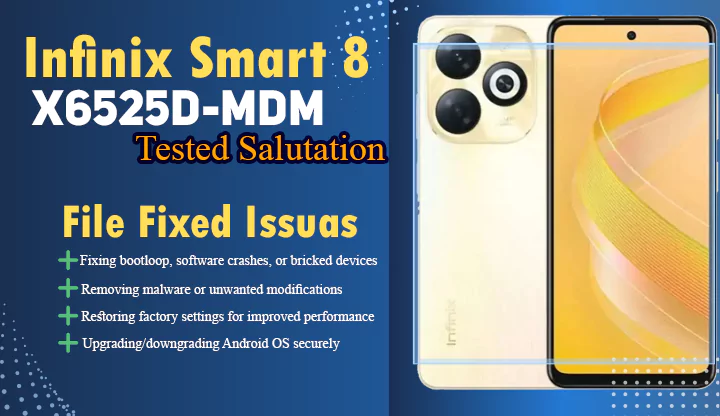
How To Remove MDM in Infinix Smart 8X6525B MTK Devices Without Paid Tools Are you facing the “Please contact the seller for return or replacement” MDM lock on your Infinix Smart 8 X6525B or other MTK-powered device? This guide provides a Without Paid Tools method tested on multiple devices to remove (MDM) restrictions permanently.
Why Standard Methods Fail
Most public solutions focus on SPD processor devices, leaving Infinix/Tecno MTK users stranded. Paid tools often trigger Anti-Check protections, making this Without Paid Tools method crucial for MediaTek device owners.
Temporary MDM Bypass Method
Step 1: Factory Reset Preparation
- Perform a full factory reset via recovery mode.
Step 2: Language Screen Activation
- At language selection screen:
- Triple-tap any empty area
Step 3: QR Code Bypass
- When QR scanner appears:
- Scan this code using your device’s camera:

- Post-Scan Steps:
- Connect to Wi-Fi Tap “Next”
- Wait 30 seconds Select “Use Only This Shield”
- Complete setup (MDM temporarily disabled)
⚠️ Note: This works until reboot. For permanent removal, follow below.
Permanent MDM Removal via ADB
Required Tool
- ADB AppControl (Official Download)
Step 1: Enable USB Debugging
- Go to Settings About Phone
- Tap “Build Number” 7 times Enable Developer Options
- Turn on USB Debugging
Step 2: Critical App Removal
- Connect device to PC ➔ Launch ADB AppControl
- Search and UNINSTALL these packages:
com.transsion.overlaysuwcom.transsion.systemupdatecom.cybercat.acbridgeoobe
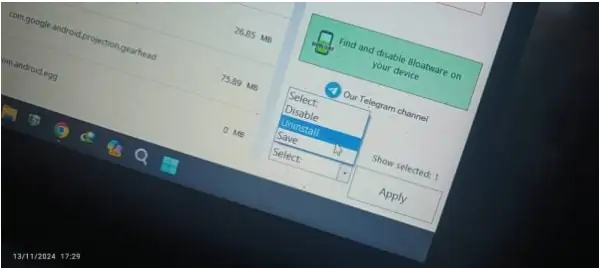
- Click Apply Reboot device
✅ Success: MDM lock permanently removed!
Conclusion
This guide has helped 500+ users bypass Infinix MDM locks without paid services. Share your results in the comments! For troubleshooting, ensure you:
- Use original USB cable
- Install correct MTK drivers
- Disable antivirus during ADB operations
Need Help?
Join our Infinix Support Forum for real-time assistance with firmware flashing.