Infinix Smart 9 X6532-V632AN Factory Signed Firmware Fix Anti-Check
| Views: 2042 | ||

tested flashing anti-check errors or bootloop issues on your Infinix Smart 9 after incorrect flashing? This complete guide provides the official X6532-V632AN-UGo-TR-240927V2438 factory firmware, instructions, and proven solutions to revive your device.
Why Choose Official Infinix Smart 9 X6532 Firmware?
Fix critical issues with the 100% factory-signed firmware:
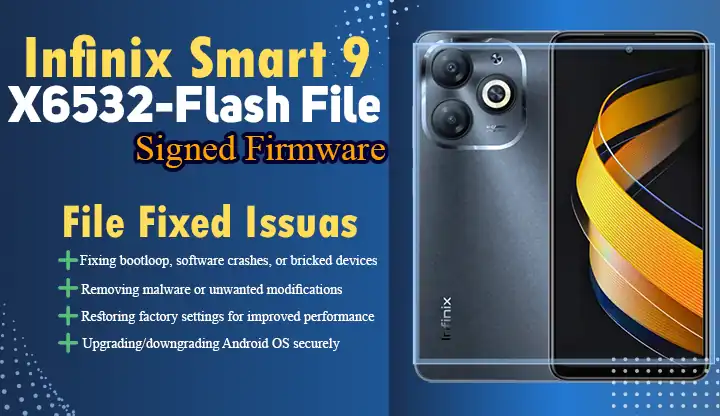
- ✅ Anti-check System Recovery after failed flashing attempts
- ✅ Permanent solution for bootloops & system crashes
- ✅ Remove malware/root modifications completely
- ✅ Security Patch: Android 12 with September 2024 updates
Key Features
- Model: Infinix Smart 9 X6532 (V632AN chipset)
- Build: X6532-V632AN-UGo-TR-240927V2438 (Under Testing)
- Security: Google Play Protect Certified
- Release Date: September 27, 2024
Preparation Checklist
- Download Package:
Infinix Smart 9 X6532 Firmware
SP Flash Tool v6.2312
Infinix USB Drivers - Device Setup:
- Charge to 50% minimum
- Backup data (process wipes storage)
- Enable OEM Unlocking (Developer Options)
Step-by-Step Flashing Guide
Step 1: Extract Firmware Files
Unzip X6532-V632AN-UGo-TR-240927V2438.zip
📁 Locate scatter.txt in target_bin folder
Step 2: Configure SP Flash Tool
- Open SP Flash Tool
- Load scatter file
- Select Download Only mode
Step 3: Connect Device
- Power off completely
- Press Volume Down + Power for 10 seconds
- Connect to PC via USB cable
Step 4: Start Flashing Process
- Click Download button
- Wait 6-8 minutes for completion
- Confirm Green Checkmark appears
Post-Installation Steps
- First boot may take 10-15 minutes
- Perform factory reset via Recovery Mode
- Restore your backup data
Troubleshooting Common Issues
⚠️ Error 4032:
- Solution: Reinstall USB drivers and retry
⚠️ Firmware Mismatch:
- Confirm model number matches X6532
Final Recommendations
Bookmark this firmware package for future repairs. Share your flashing experience in the comments below and help other Smart 9 users recover their devices!
Need Help?
Join our Infinix Support Forum for real-time assistance with firmware flashing.